
Oct 18, 2026 · @Karun V Ajith

What Is Google Ads Quality Score?
Google Ads Quality Score is a rating that ranges from 1 to 10 and is assigned at the level of each keyword. It provides an estimate of how the quality of your ads compares with that of advertisers using Googles diagnostic tool to help make that comparison.
Here is what that actually means when you apply it in practice:
• It applies on a per-keyword basis. This means that two keywords that sit within the campaign can end up with scores that differ quite significantly.
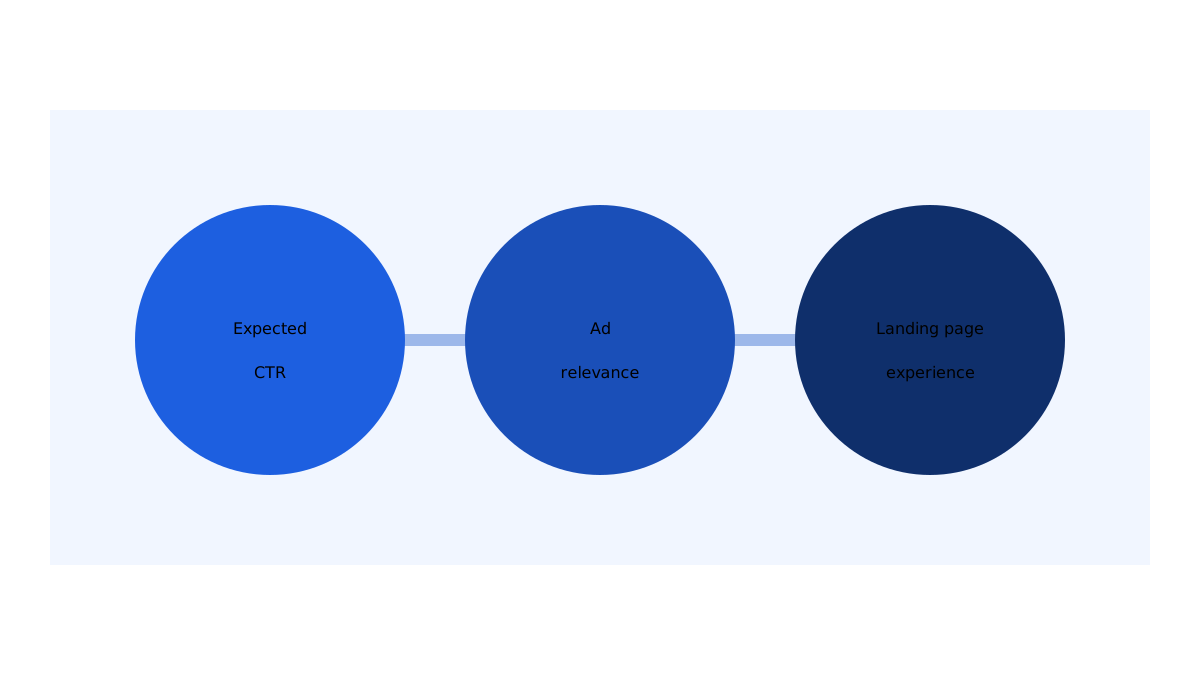
• It is made up of three components. These are expected click-through rate (CTR) ad relevance and landing page experience.
• It is not a KPI((Key Performance Indicator). Google has made it clear that you should not optimize your campaigns around the number itself. Should you roll it up into other metrics.
• It is not an input to the auction. Google has stated that the score itself is not used in the ad auction. There is more on this below.
Think of it as being like a warning light on the dashboard of your car. It does not tell you how far you have travelled. All it does is suggest that there may be something you ought to check.
Google Ads Quality Score Factors: The 3 Components
Every keyword has a status for each of these components: Above average, Average or Below average. Google compares you against advertisers whose ads have shown for the same search over the last 90 days. A status of Average or Below average suggests that there may be some room for improvement.
| Component | What it tells you | Typical fix |
| Expected CTR | How likely your ad is to be clicked for this keyword | Sharper headlines, useful assets, tighter keywords |
| Ad relevance | How closely your ad matches the search intent | Keyword-themed ad groups matching ad copy |
| Landing page experience | How useful the page is to someone who clicks | Relevant content, fast loading, mobile-friendly design |
Expected CTR
This reflects Googles estimate of whether people will click on your ad when it shows up for the keyword. When your ad is weak you will usually end up with a rating in this area.
• Start with a benefit rather than a company slogan.
• Work the keyword or a close variation of it into a headline.
• Add assets like sitelinks and callouts so your ad earns space and gives people more reasons to click.
• Take out keywords that bring in the kind of audience
Ad relevance
1.This assesses whether your ad actually speaks to what the person searching’s looking for. New advertisers often fall short here since a single ad group ends up covering too many topics .
2.If you sell both “SEO audits” and “website design” inside one ad group, neither of your ads can be fully relevant. Separate them into two ad groups, each with its set of ads.
Landing page experience
This is about what happens after someone clicks. Does the page deliver on the promise your ad made? Is it clear does it load quickly. Is it easy to use on a phone?
• Make sure the headline on your page matches both the ad and the keyword people searched for.
• Within the screen of the page clearly explain what the offer is.
• Use a free tool like Google’s PageSpeed Insights to check how fast the page loads and how well the mobile layout works.
• Make the next step obvious to visitors, such as a form or a call button.
Does Quality Score have an effect on Ad Rank and cost?
This is the point where many guides get it wrong. Google has clearly stated that Quality Score is not one of the inputs used in the ad auction. Instead the auction relies on real-time signals. These include the same ideas that the three components describe: expected CTR, ad relevance and landing page experience.
So even though the number itself is a report card the factors behind it are genuinely important. If your ads are more relevant and your landing pages are more useful you will likely compete better in the auction. Results differ from one industry to another. Depend on the level of competition so treat this as a general tendency rather than a guarantee.
Here is a simple rule of thumb you can use when reading the score. These ranges are widely accepted as guidance from the community.
| Score | How to read it | What to do |
| 1–3 | Likely a clear mismatch | Check all three components and the intent behind the keyword |
| 4–6 | Room to improve | Fix the component first |
| 7–10 | Generally healthy | Leave it alone unless conversions are weak |
How to Check Your Quality Score in Google Ads
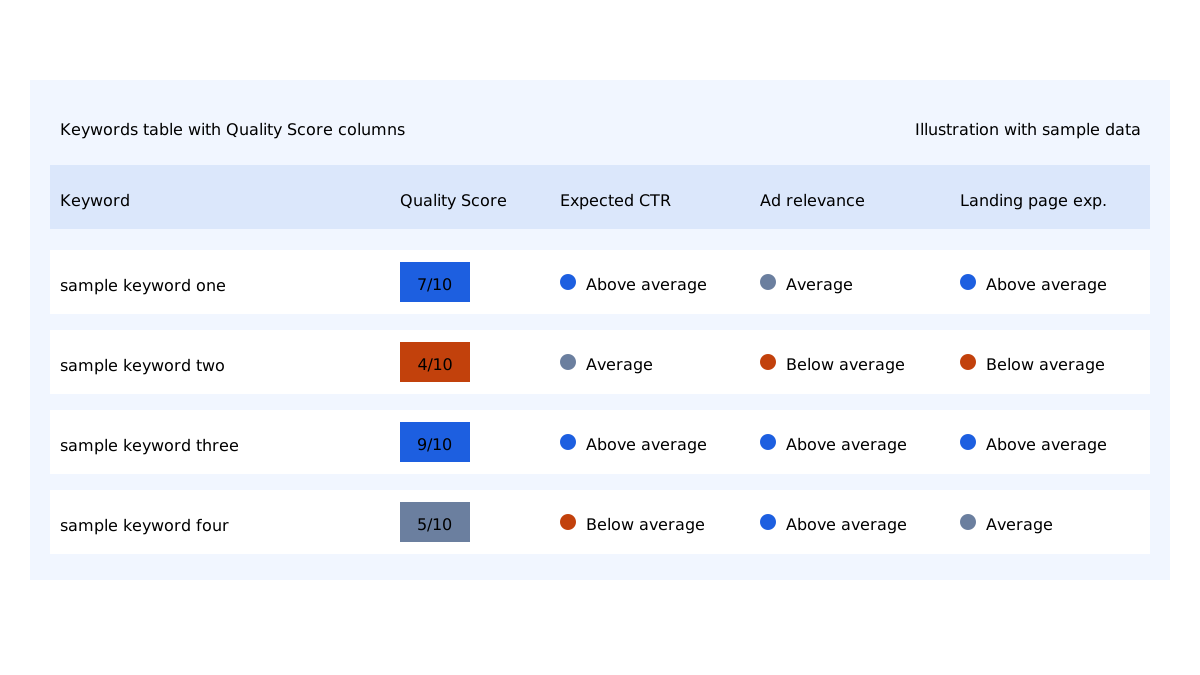
By default Quality Score is hidden. Add it as a column:
1. Log in to your Google Ads account then navigate to Campaigns and select Keywords.
2.. Click the Columns icon then select the Modify columns option from the menu.
3. Expand the Quality Score section to view its options.
4. Select the checkboxes next to Quality Score, Landing page experience Ad relevance and Expected CTR.
5. Click the Apply button to confirm your changes.
Google additionally provides versions of these particular columns. You can segment the table by day to observe how a score changed over time. This makes it simpler to connect a shift in score with an edit that you have made.
One caveat you should keep in mind is that keywords receiving little traffic might display no score at all. Base your judgment on keywords that have impressions rather than on brand new ones.
“To improve Quality Score in Google Ads, make sure the fix you choose lines up with the specific problem you identified.”
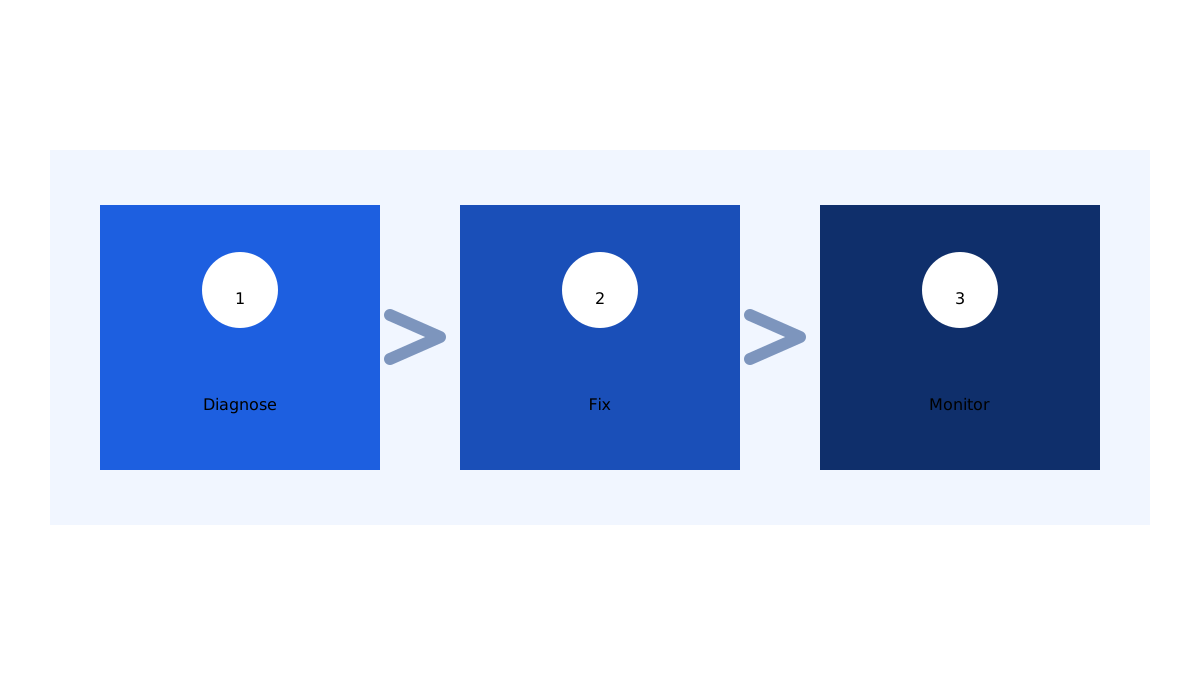
This is the routine that I follow. It prevents you from being tempted to guess.
Step 1: Find the weakest component
Add the Quality Score columns at the keyword level. Start by sorting the results from the score upward then take a closer look at the status of each of the three components. Set the number aside for a moment and focus on a single question: which of the components is marked as Below average?
Step 2: Address that component and get it fixed
Make sure the fix you choose lines up with the specific problem you identified.
| If the issue is this point | Start by trying this approach |
| Expected CTR | Rewrite your headlines so they speak to what the searcher is trying to achieve add more assets and remove keywords that do not fit well. |
| Ad relevance | Break up mixed ad groups work the keyword into a headline and make the ad copy match the intent behind the search. |
| Landing page experience | Direct traffic to a page that covers that exact offer improve its loading speed and correct the mobile layout. |
There are a few habits that pay off in every situation:
• Keep each ad group tightly themed and built around closely related keywords.
• Write your ad copy to match the search intent than just echoing the keyword.
• Point every ad group to the relevant page instead of always sending it to the homepage.
• Go through the search terms report regularly. Add negative keywords for any irrelevant queries you find.
Step 3: Keep monitoring. Change only one thing at a time
Once you make a change allow enough time for it to collect data before judging it. Then compare Quality Score, CTR, conversion rate and cost per conversion against the figures. You should avoid changing headlines, landing page and keywords all at once since you will not be able to tell which change if any actually made a difference.
Make a record of what you changed along with the date you changed it. A simple note in a spreadsheet is enough.
Common Quality Score Mistakes That Beginners Make
While I was learning I found myself falling into the traps over and over again. Below are the ones you should steer clear of:
1. Concentrating on keywords and bids. Even the well-chosen keyword won’t do you any good if the ad and the landing page don’t line up with what the person was actually looking for.
2. Bundling themes together inside a single ad group. This pushes you toward ads, which end up performing poorly when it comes to ad relevance.
3. Directing every click to the homepage. If someone is searching for a service they shouldn’t be forced to go hunting around for it.
4. Changing everything all at the time. That leaves you with no way of telling which change actually made a difference.
5. Obsessing over reaching a 10/10. Google itself has said the score is a tool and chasing it can end up pushing you to target keywords that aren’t worth it.
6. Overlooking conversions. A looking score on a keyword that never brings in any leads isn’t a win at all.
7. Making a judgment before you have information. Keywords with search volume tend to produce only limited data. It is best to wait until you have gathered impressions before you start drawing any conclusions.
Quality Score compared with Conversions: Which One Should You Give Priority To?
Conversions should be your priority. Quality Score is useful for helping you identify the underlying cause whenever something appears to be, off.
A keyword that gets a 5 out of 10 but keeps bringing in a flow of leads at a fair cost per conversion is clearly working well. On the hand a keyword that gets a 9 out of 10 and brings lots of clicks but no inquiries is not working. Use Quality Score as a way to look into things. Then check if the fix worked by looking at real business results.
A made-up example for explanation
Please note that this is a fake example included just for the purpose of showing how things work. Imagine you are running ads for an agency and the keyword “digital marketing services” has a score of 4 out of 10 with below average ad relevance and landing page experience.
Here is how I would go about dealing with it:
1. Look at the search intent. Does the ad actually offer what the person searching is likely looking for?
2. Make the ad better. Put the name of the service in the headline. Make clear who the service is for.
3. Fix the page so it works as it should. Send your clicks to a page that clearly explains those services loads fast and works well on devices.
4. Keep an eye on your results. Over the weeks that follow compare Quality Score, CTR, conversion rate and cost per conversion.
If the score goes up but your leads do not the keyword may be too broad. In that case a specific phrase could work better than a higher score.
Frequently Asked Questions About Google Ads Quality Score
1.What counts as a Quality Score in Google Ads?
Many advertisers use the idea that a score of 7 or higher is good while 1 to 3 is bad. These are general ideas, nothing more. A score is only helpful when it is looked at with conversion data.
2.Is Quality Score used in the ad auction?
No it is not. Google has said that Quality Score is a tool to help diagnose issues and not something used in the auction. The auction uses real-time signals which’re similar to the same three parts.
3.How can I improve Quality Score quickly?
Find the part that is marked as below average and fix that one. Make your ad groups tighter match your ads to what people are looking for and make your landing page better. Then wait for the data to come in.
4.Why is my Quality Score showing up blank?
It is possible that the keyword has not had traffic for a score to appear.
5.Should I be trying to get a 10 out of 10 score?
No you should not. Instead aim for leads that you can get at a good cost. Having a score is just a helpful side effect along the way.
Treat Quality Score as a Guide Rather Than a Goal
Google Ads Quality Score is actually easier to understand than it might look at first. It is a way to check things on a scale of 1 to 10 based on three parts: expected CTR, ad relevance and landing page experience.
Here are the main points for you:
• Add the Quality Score columns at the keyword level.
• Find the part and focus only on fixing that one.
• Make sure your ads and landing pages match what people are looking for.
• Change one thing, at a time and track conversions instead of the score itself.
Conclusion: Treat Google Ads Quality Score as a Guide, Not a Goal
Google Ads Quality Score is easier to understand than it first looks. It is a 1–10 diagnostic built on three things: expected CTR, ad relevance, and landing page experience. It will not tell you whether a campaign is profitable, but it does point you to the part of your ads that needs attention.
Here are your key takeaways:
• Add the Quality Score columns at the keyword level.
• Find the weakest component and fix only that one.
• Match your ads and landing pages to what people are searching for.
• Change one thing at a time, and judge the results by conversions, not by the score itself.
If you want help improving your Google Ads campaigns, SEO, or WordPress website, explore my work as a freelance digital marketer in Alappuzha and get in touch.